AXE BUILD / Manufacturing
From purchased steel to delivered products.
We built a stock and manufacturing system for AXE BUILD, connecting procurement, inventory, quoting, sales orders, production and delivery in one operational workflow.
What we built
A shared record of materials and work.
For a steel-products manufacturer, purchasing, stock and production depend on each other. The AXE system brings those records together so teams can follow materials coming in, orders moving through manufacturing and products going out.
The material flow
Know what is coming in. Know what is available.
The stock system connects the supplier order to the goods received and the inventory available for production. Steel coils and consumables retain their purchasing and movement history.
- 01 / PO
Purchase orders
Order steel coils and consumables from suppliers. Keep the purchase commitment, quantities and costs together, with visibility of what has been received and what is still outstanding.
- 02 / GRV
Goods receiving
Receive materials against purchase-order lines into the relevant warehouse. Record coil details, quantities and receipt costs, and retain the link back to the supplier purchase.
- 03 / Stock
Inventory
Manage steel coils and consumables by warehouse, with stock balances, reservations, transfers and movement history. Give purchasing and production a shared view of available material.
The customer order flow
Follow the work from quote to delivery.
The commercial and production workflows share the same customer and project context, carrying product requirements forward from quotation through manufacturing and dispatch.
- 01 / Quote
Quoting
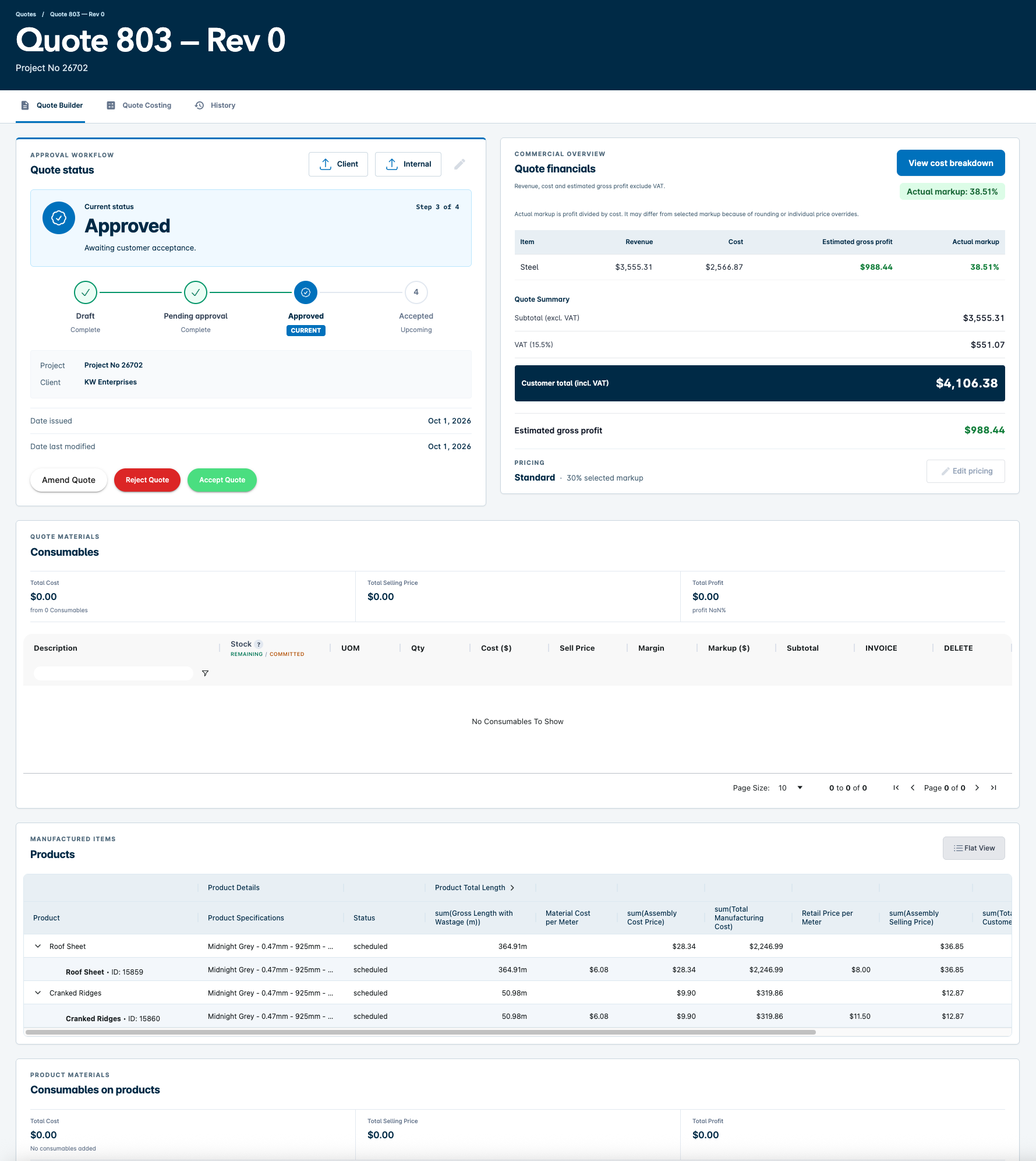
Build project quotations around products, steel specifications, consumables, costs and selling prices. Keep the commercial requirements together as the quote develops.
- 02 / Order
Sales orders
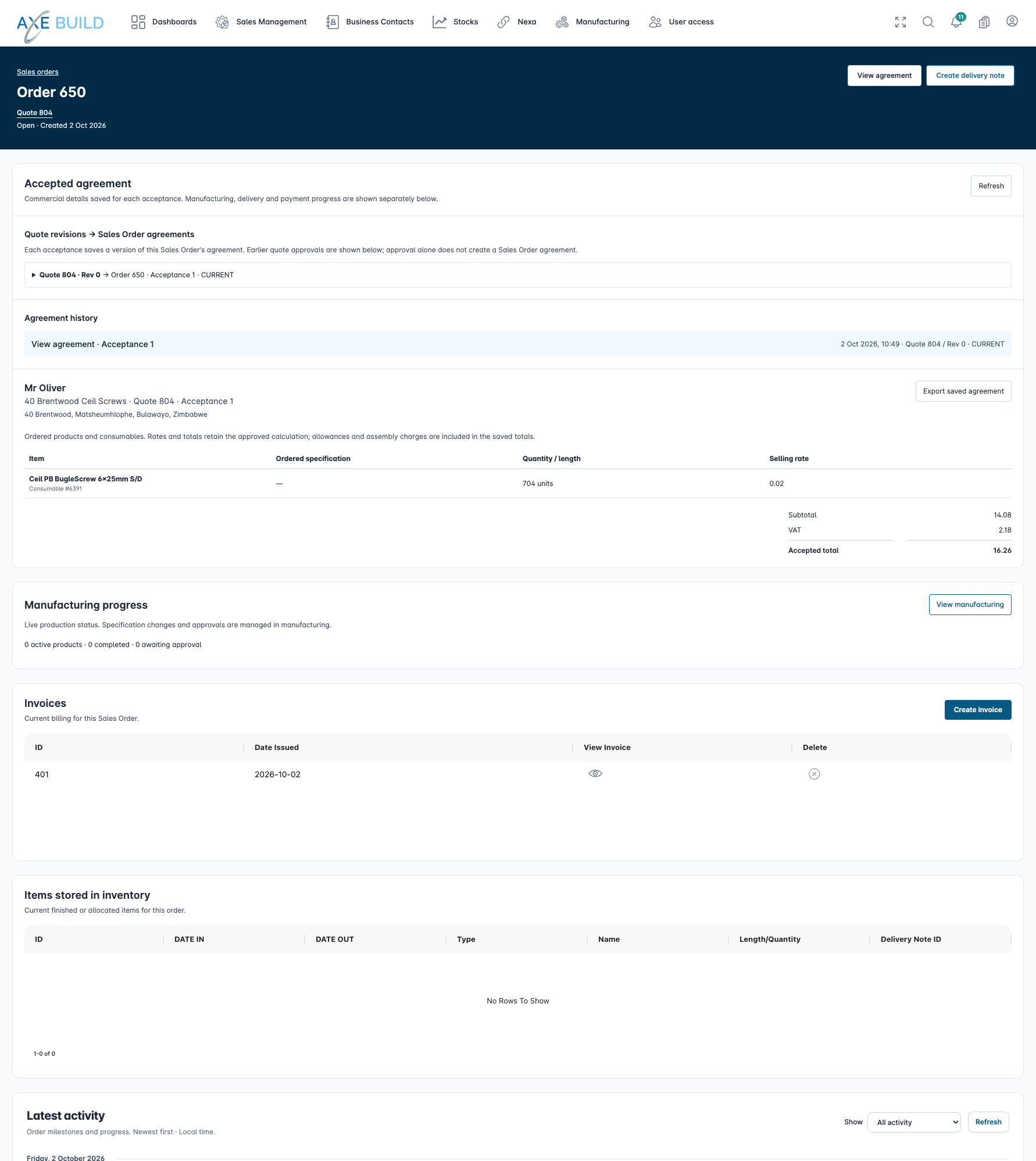
Carry accepted quotations into sales orders. Bring customer, project and product requirements together so the team can follow the work through production and fulfilment.
- 03 / Make
Manufacturing
Manage production work against the sales order, review manufacturing specifications and record material consumption. Connect the products being made to the stock used to make them.
- 04 / Deliver
Delivery notes
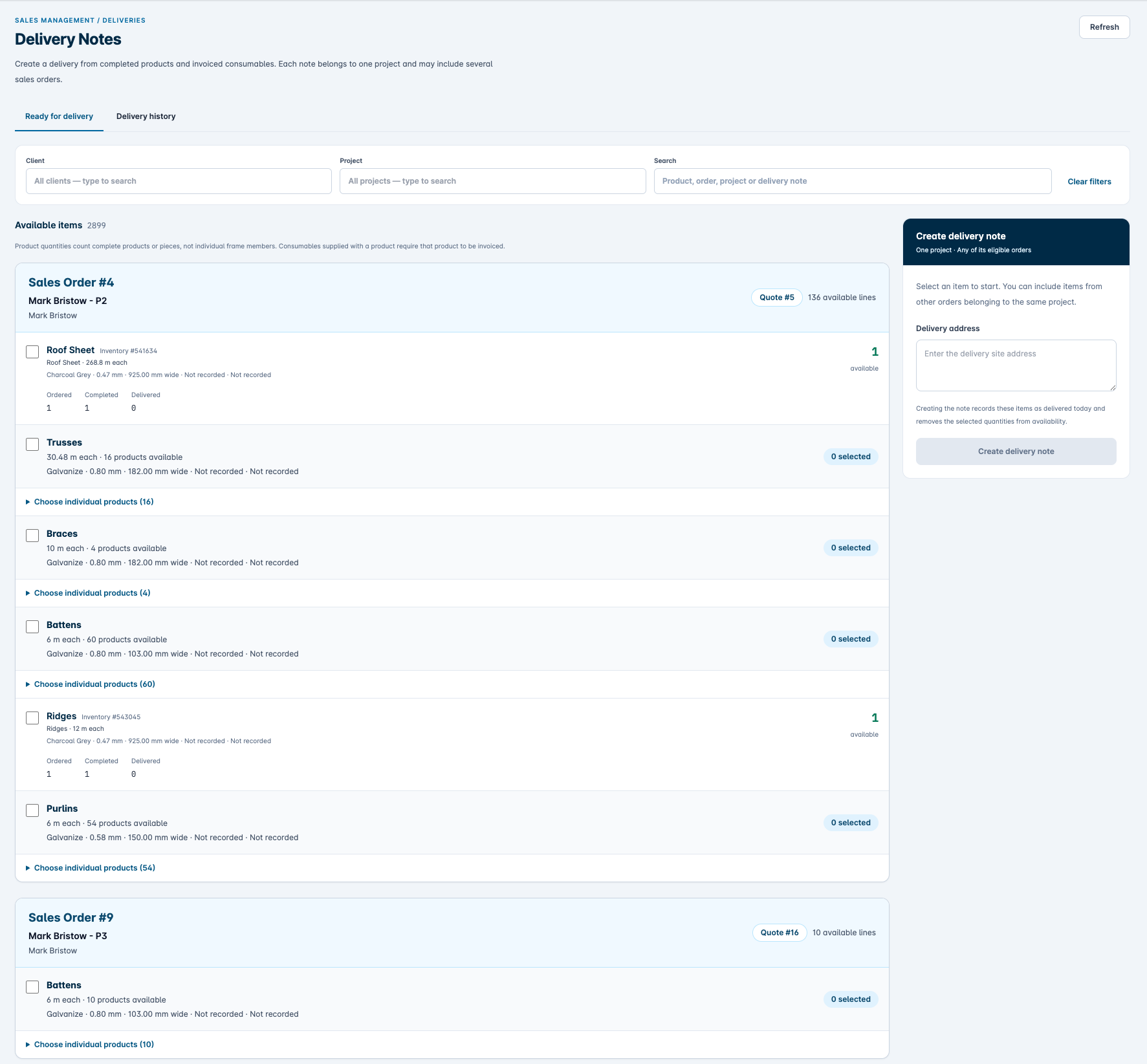
Select available finished products and eligible consumables for delivery. Create delivery notes linked to the customer and project, and retain a history of what has gone out.
Inside the AXE system
See the work. Review the detail.
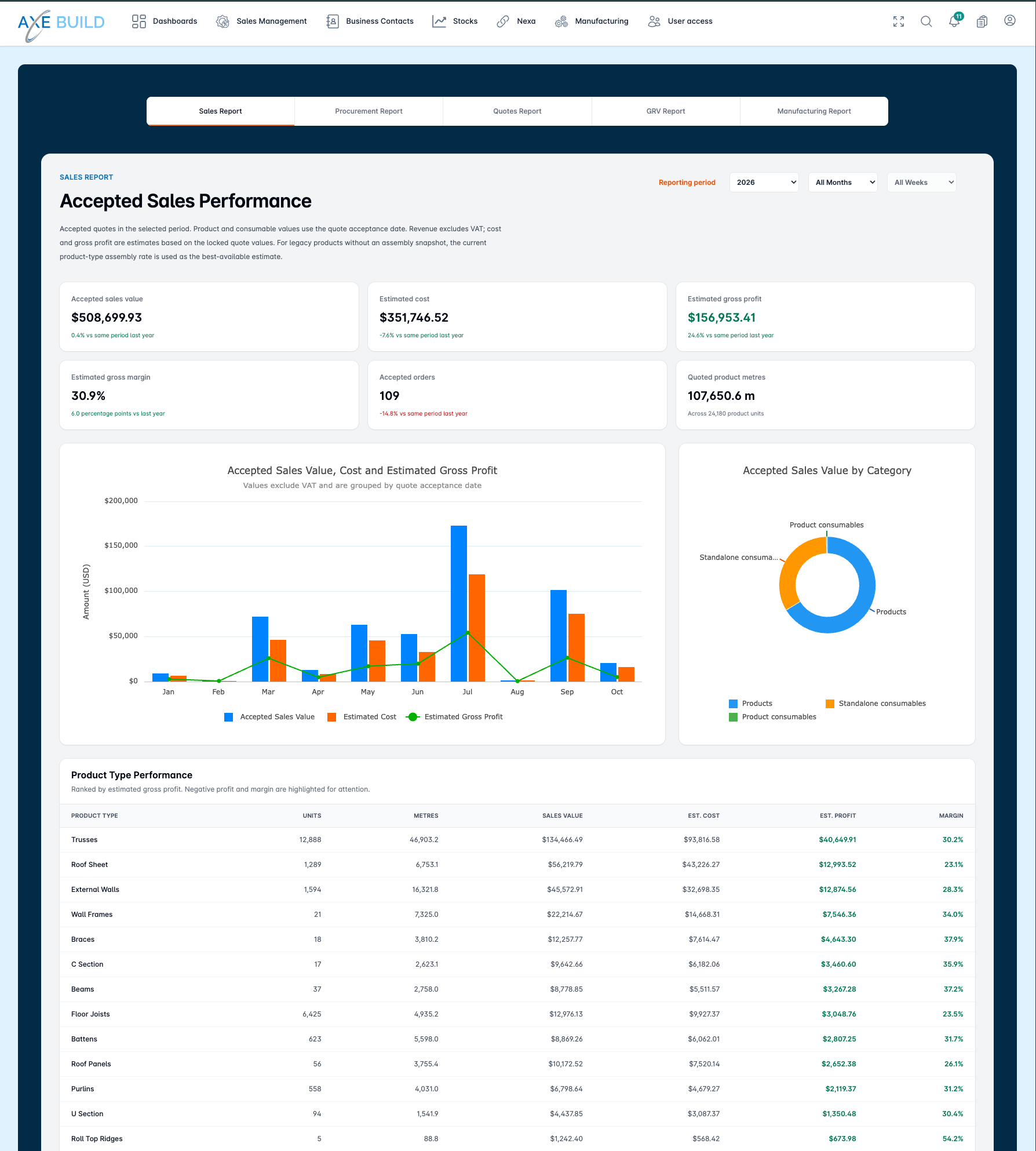
From quotation follow-up to production review and completed output, these screens give teams a practical view of the work moving through the business.
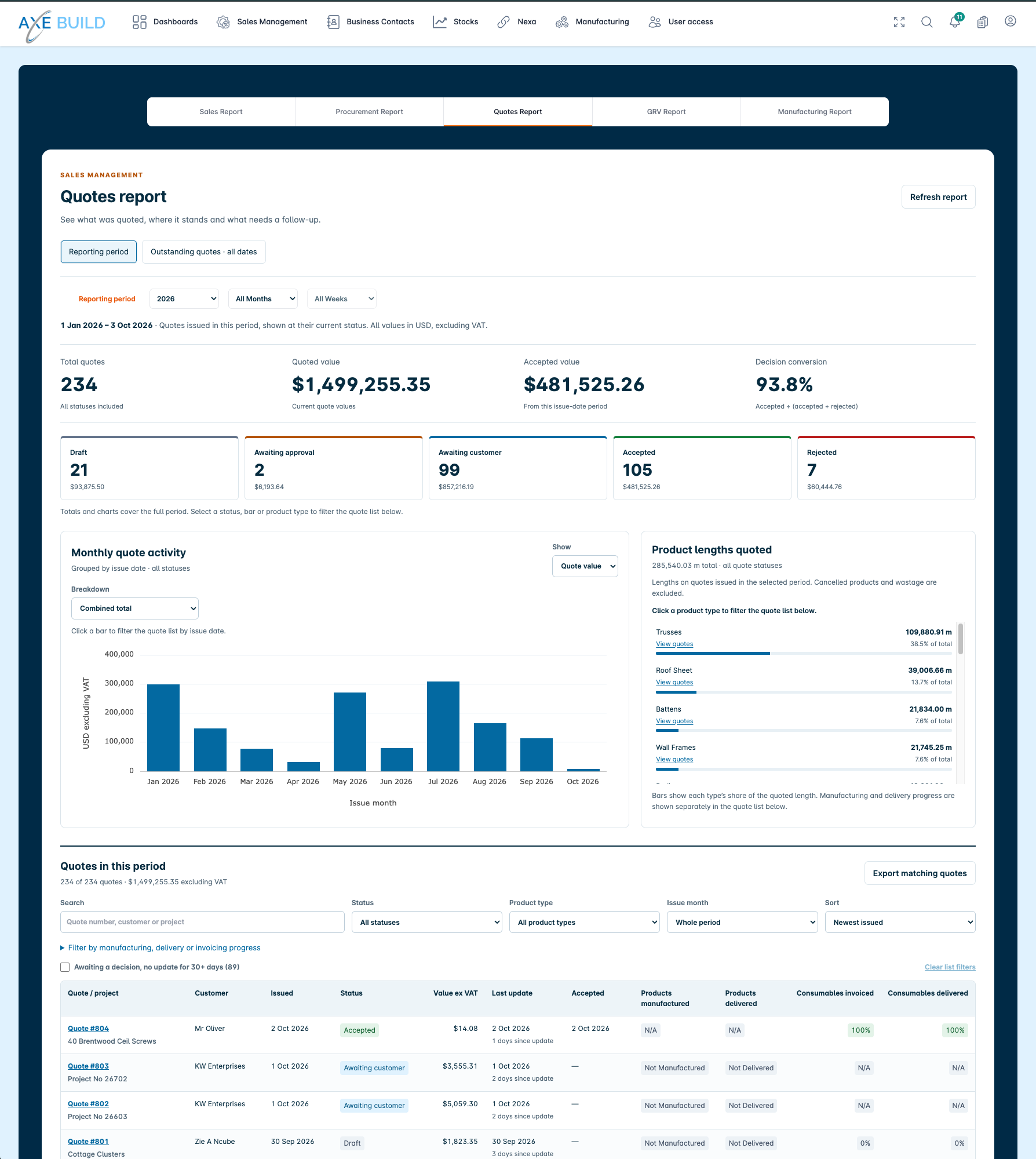
Quoting report
See quoted and accepted values, quote status and monthly activity, with the detail needed to follow up outstanding customer decisions.
View full-size image : Quoting report (opens in a new tab)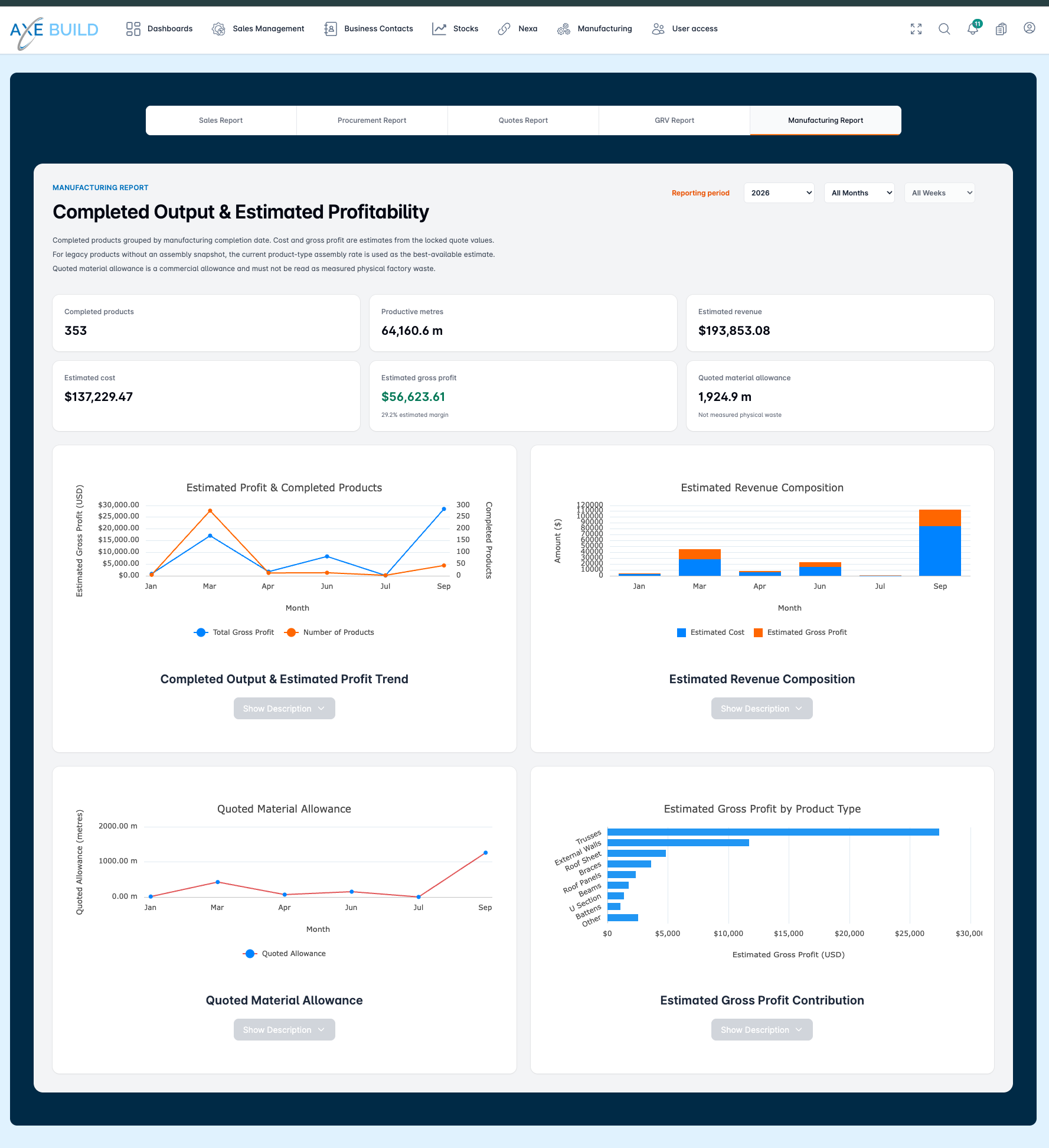
Manufacturing report
Review completed products and productive metres alongside estimated revenue, costs and gross profit. Quoted material allowance is shown separately from measured factory waste.
View full-size image : Manufacturing report (opens in a new tab)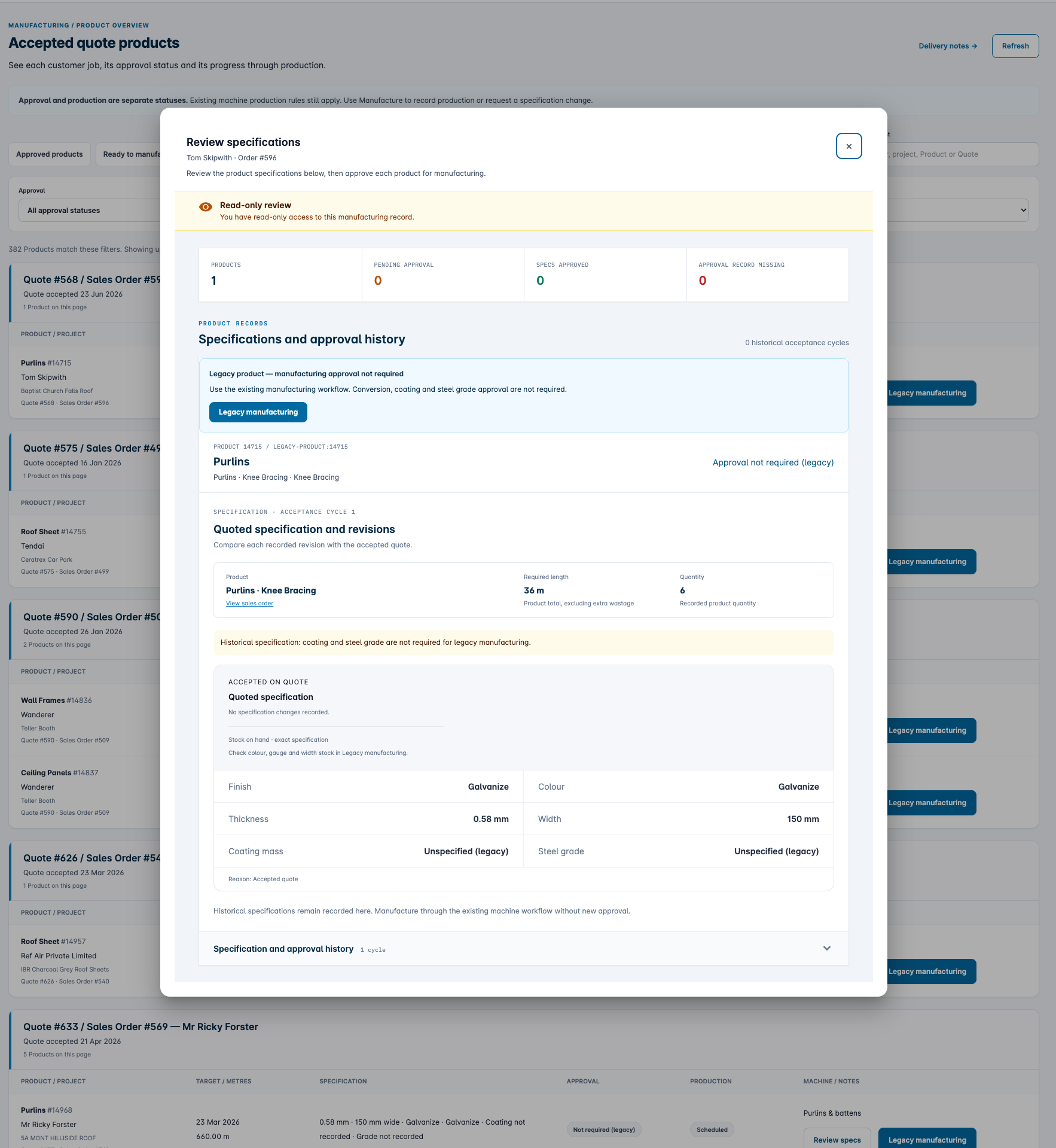
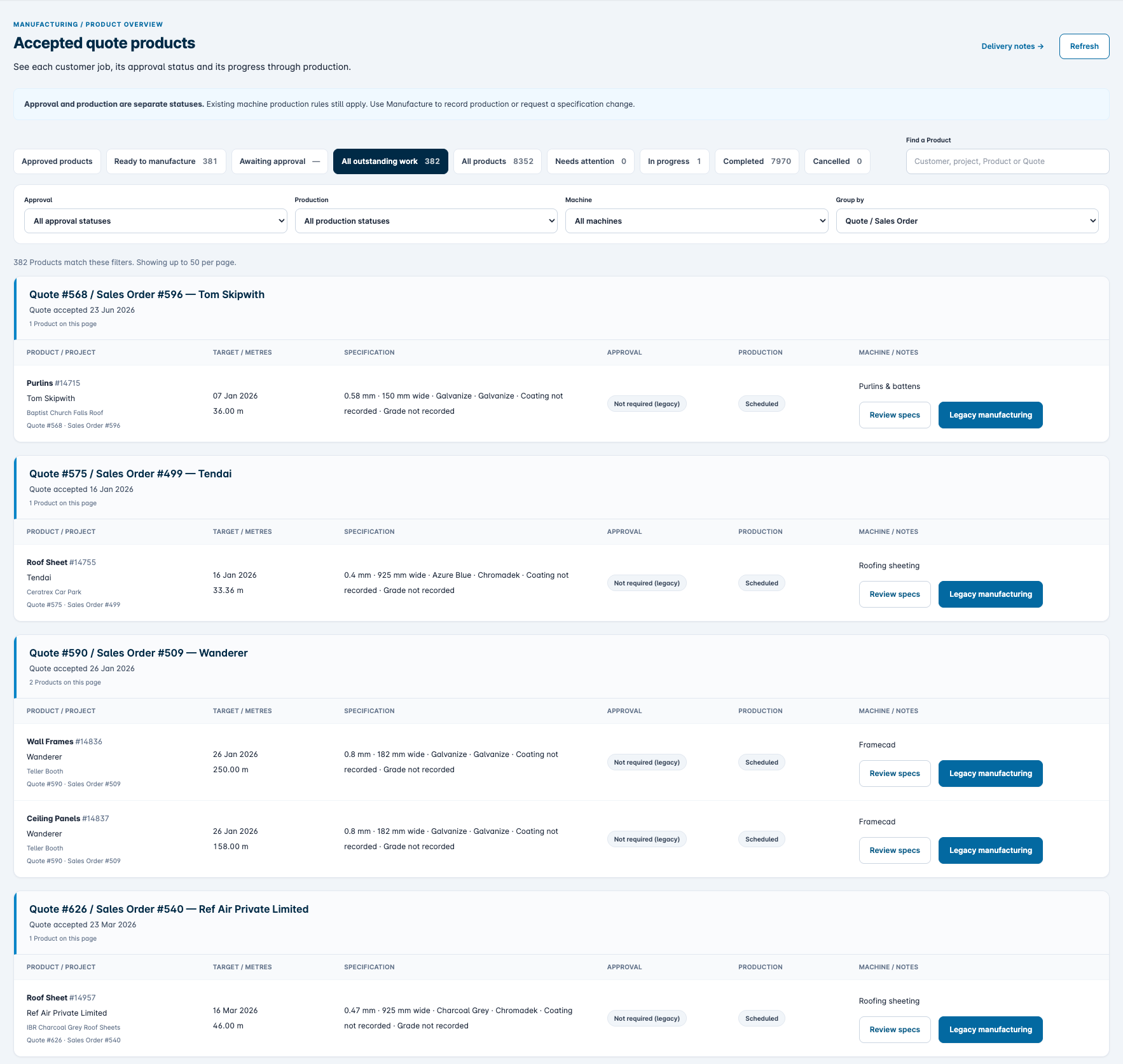
Review upcoming production
Review products due for manufacturing, compare their quoted specifications and check approval history before production. Legacy products retain their existing manufacturing workflow.
View full-size image : Review upcoming production (opens in a new tab)FRAMECAD / NEXA integration
Connect the stock system to NEXA.
The integration lets authorised AXE users connect their NEXA account and view projects and coil inventory within AXE, bringing information from the manufacturing software into the operational system.
Project and coil visibility
Access NEXA project and coil details alongside AXE stock and order information, supporting checks across the two systems.
Controlled coil registration
We have also built a workflow to register eligible coils received through GRVs in NEXA, with saved posting status and checks for uncertain results. Live posting is subject to controlled acceptance and activation.
Product-to-design linkage and automatic import of completed machine coil usage are the next integration phase.